Devices, Accessories, and Augmentations
This guide extends our cognitive framework into mental health and how to respect it in product experiences.
Microsoft’s Inclusive Design Principles
This guide builds from these three principles:
- Recognize exclusion
- Learn from diversity
- Solve for one, extend to many
Digital and physical
When we started our inclusive design practice, we were striving for the idea of one–size–fits–one and not one–size–fits–all. Software is malleable. Digital experiences can be configured — tailored to fit individuals with disabilities.
Physical products are rarely fluid, they have form. We strive to recognize and design how forms can be adjustable as well as augmented to meet the needs of the disabled.
What we believe
Modern products provide experiences that intertwine the digital and physical. We believe to meet the needs of human diversity we must approach product design striving to create flexible systems through a lens of Devices + Accessories + Augmentations.
“If accessibility is the solution, then disability is the opportunity. Disability is complex, so we must design flexible solutions.” – Dave Dame
Devices + Accessories + Augmentations
People interact with computers in infinite ways, across infinite contexts, and functions of human diversity. Tailoring adaptive systems of input and output ,that fit, will empower the disabled.
Device design should strive to find a balance of the perceivability, operability, and understandability needs of a diverse group of disabled users.
Identifying the diverse needs come from partnership with disabled communities. Compromises will inevitably be made, but they should thoughtful and made with intention.
A robust ecosystem of devices, accessories, and augmentations gives people unlimited possibilities for creating a system that fits their needs.
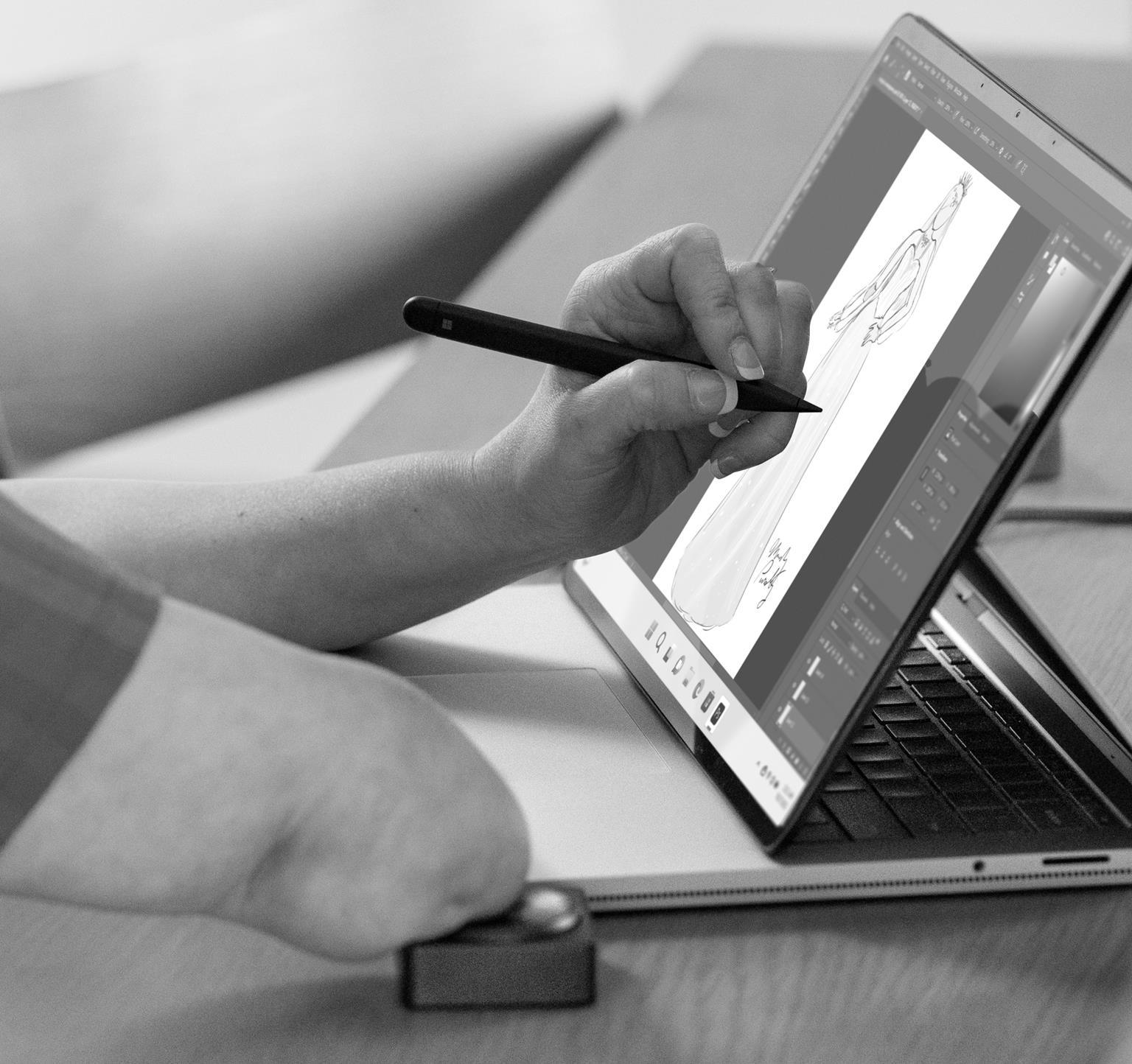
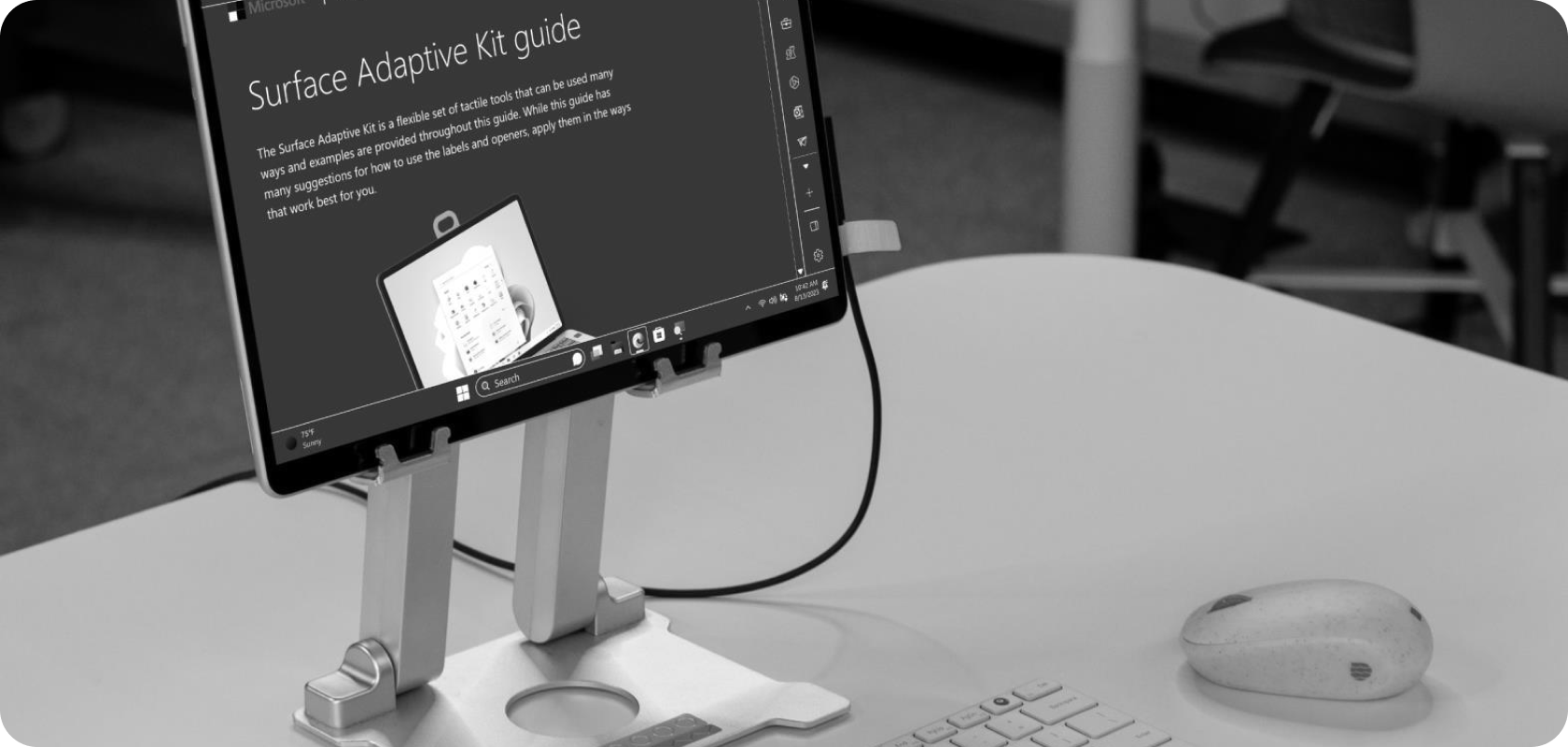
2-in-1s are versatile computers that can adjust to various scenarios. When something is difficult to see, instinctively, one tends to move closer to the screen. The stand facilitates this movement and a healthier posture. Despite being detached, the wireless mouse and keyboard are still portable. For the partially sighted, the UI can be made more perceivable by using High Contrast mode and increasing the display scale. The Surface Adaptive Kit can be used to customize the keyboard, power cable, and ports, providing extra tactile and visual cues.
Devices can adapt to people’s needs, it’s vital to capture and share these configurations so others can see and relate to the setups and make them their own.
Awareness is essential
People with disabilities are the true experts on the barriers they face. Yet, they might not always be aware of the solutions or designs that can help over come or eliminate those barriers.
Many people remain unaware of the plethora of empowering devices designed for individuals with disabilities. These four specialized mice available for those who cannot use a conventional mouse.
Raising awareness of products tailored for the disabled is as crucial as their creation. Support materials should not only include instructions and tips but also feature demonstrations by disabled users, so others can see someone like them succeeding with the device.
It is essential to foster communities where we can share and curate knowledge for the benefit of all.
Sophisticated & straightforward approaches
The disabled have a rich history of augmenting objects to fit their needs, embracing accessibility through innovation. Quality modifications, not necessarily high-tech, is their rightful expectation.
Forms that fit individuals, enhancing their function is the priority. These can be sophisticated in design or technology, or straightforward yet elegant.
Inclusive design shapes forms to fit individuals, not the other way around.
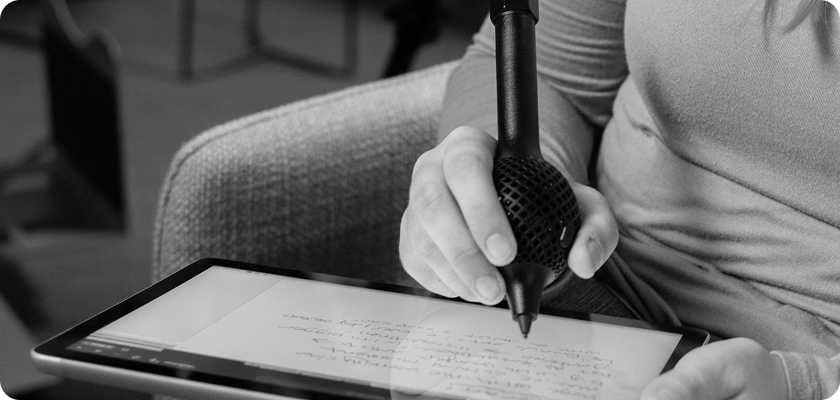
The enclosure on the Surface Pen in the image ensures that the user doesn't exert pressure, which is hard for them, on the fingertips for grip, and it avoids discomfort in the webspace—the area between the thumb and index finger. The mesh bubble not only improves the grip but also lightens the pen's weight.
Adjustments are augmentation
Ergonomics began during World War II, adapting equipment design to human capabilities for better efficiency and safety. Products designed to be adjusted provide built-in augmentation.
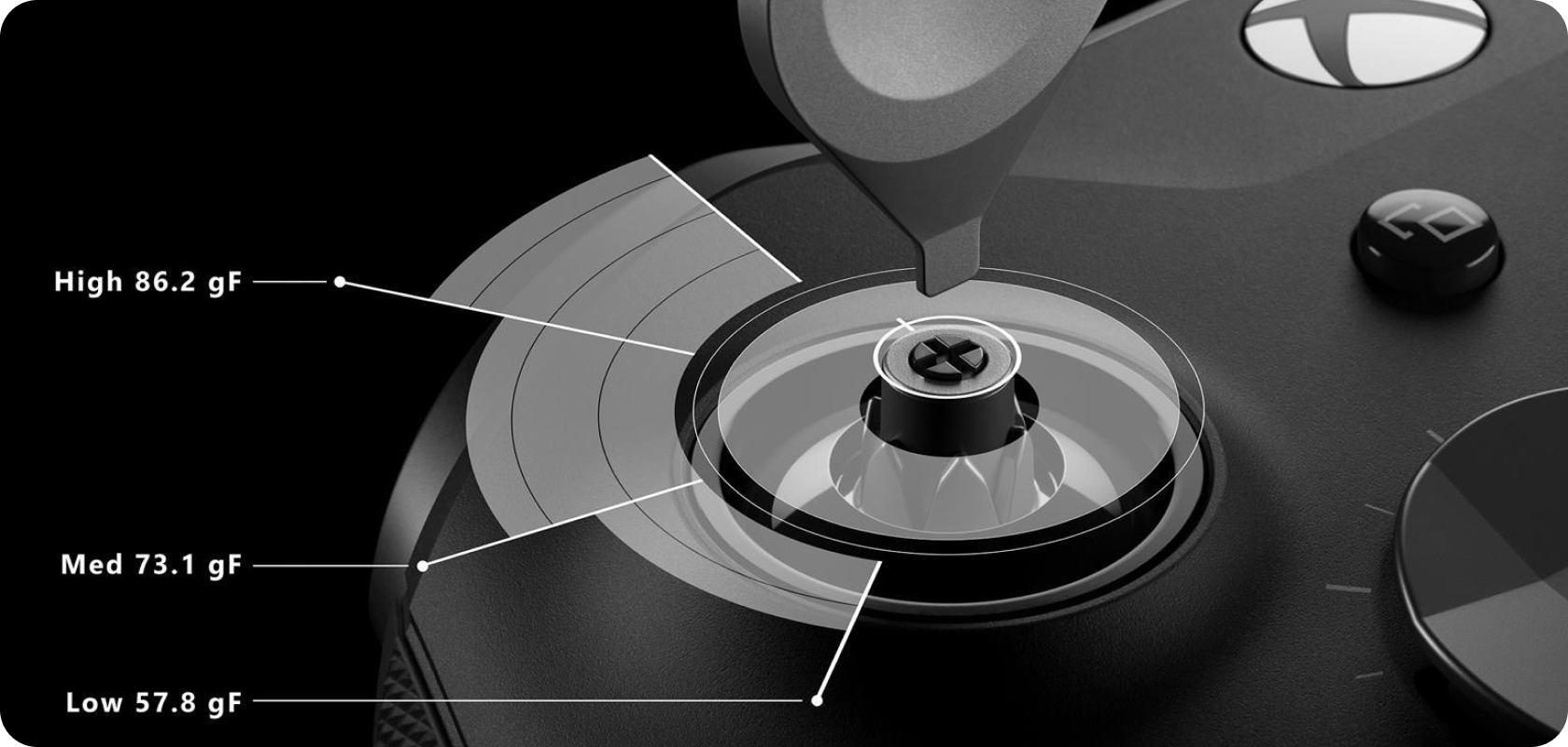
Whether it's adjusting a kickstand on a Surface Pro, tilting your laptop’s screen angle for optimal viewing, or tightening thumbsticks on an Xbox Elite Controller 2 to enhance precision, these adjustments empower users. Think of the driver's seat in a car – minor adjustments make a product fit you, the better the fit, the more usable it is. People vary in size, shape, preferences, and abilities. Adjustability is crucial to cater to these differences, fostering comfort, productivity, and safety. Ensure wide-ranging adjustability to encompass diverse disabilities.
To echo renowned disabled speaker Todd Stabelfeldt, sometimes, mere millimeters distinguish accessibility from inaccessibility.
Configuration is augmentation
Contemporary products blend physical and digital experiences. Personalization emerges through configuration. Accessibility can be personalization that accommodates human diversity.
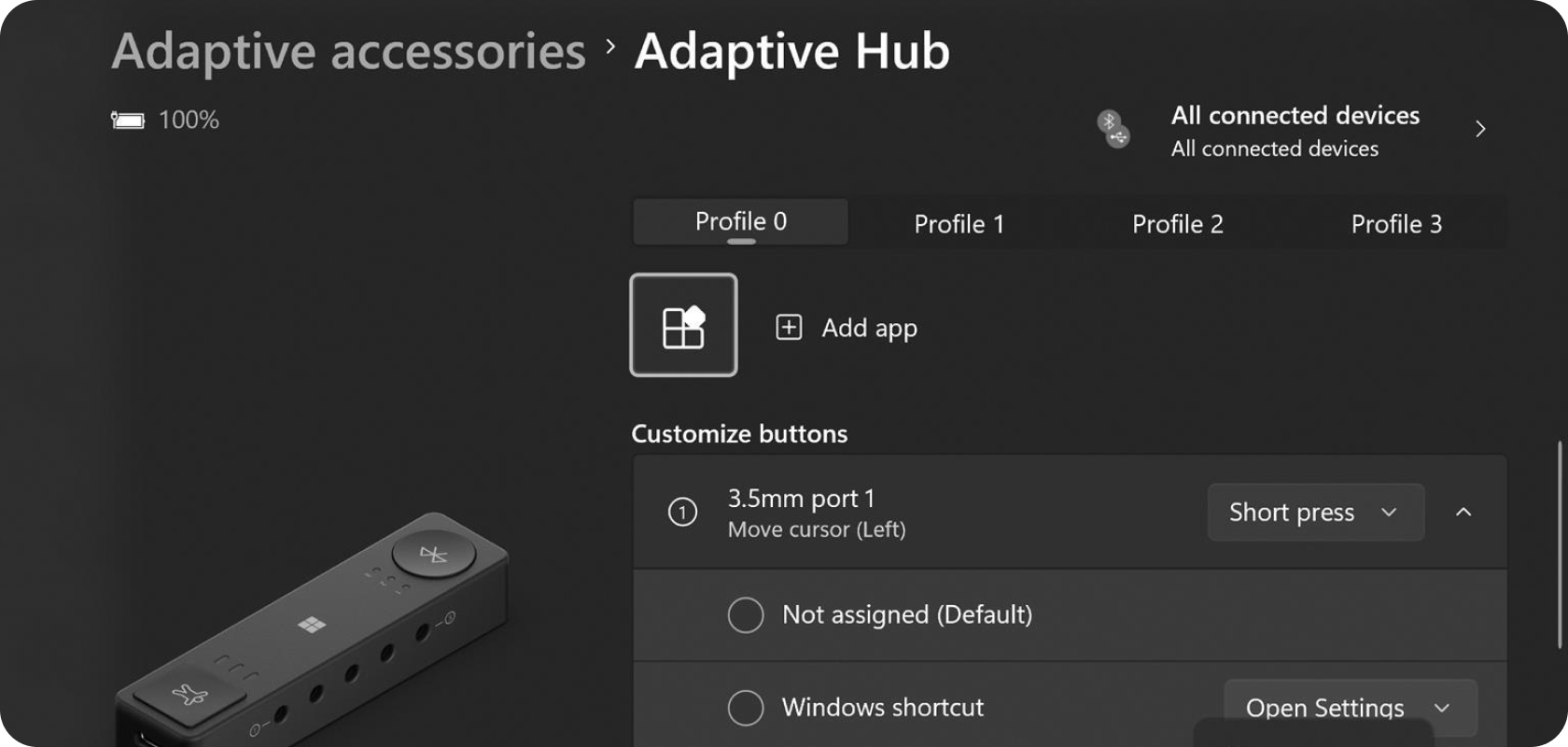
Configuring product functionality, like with Microsoft Adaptive Accessories, brings efficiency, flexibility to different scenarios, and long-term usefulness as needs change.
For example, the Microsoft Adaptive Hub lets you customize not just button functions, but also how long you press a button, allowing different actions based on press timing.
Finding the right balance in options is essential—enhancing functionality for diverse disabilities without overwhelming users with too many settings. Some disability advocates, like Aderyn Thompson, believe that all settings are accessibility settings.
Physical augmentation is not required
What we believe In certain cases, purpose-built devices and accessories offer the best solution, without the need for additional augmentation, while benefiting from adjustability and configurability.
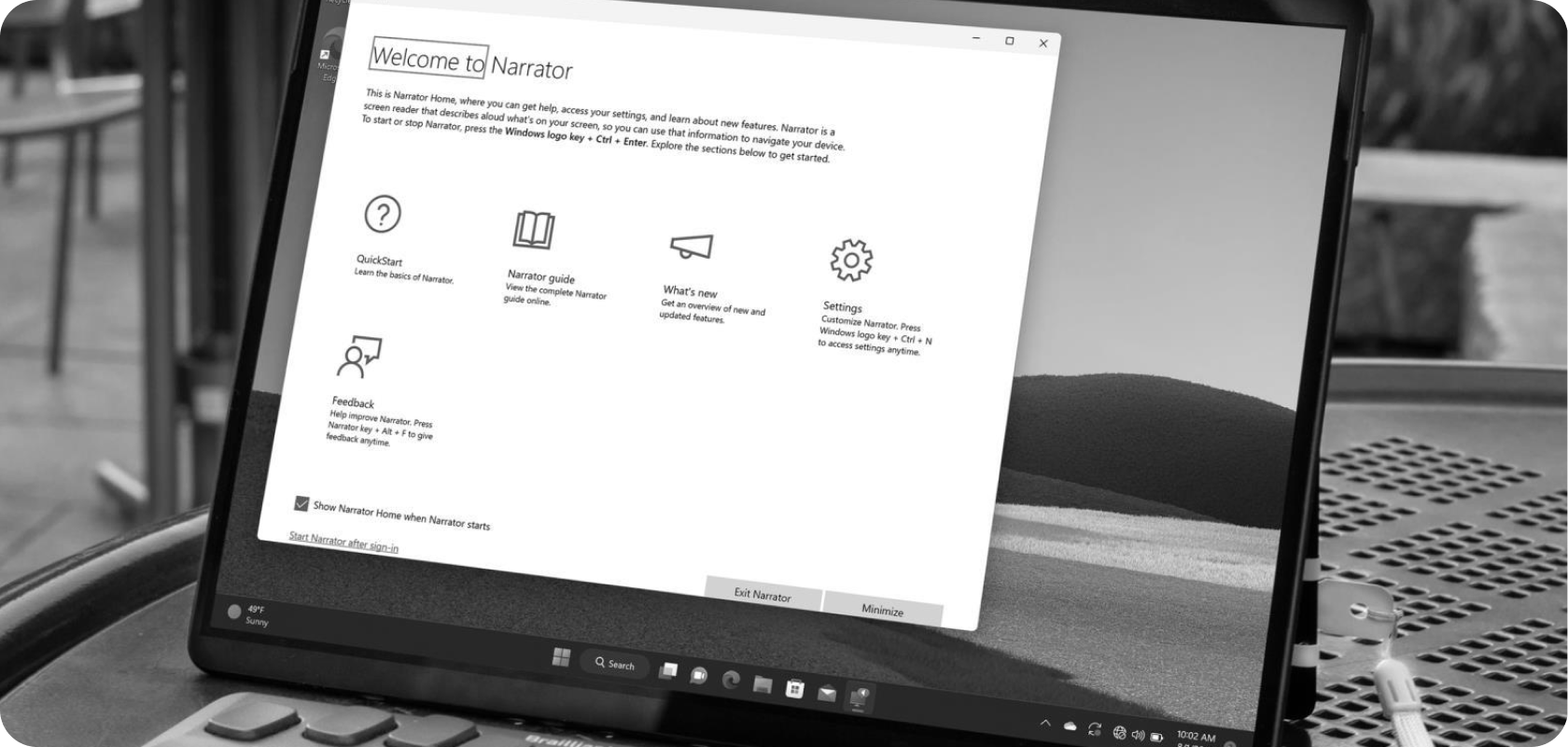
The previous page features the Humanware Brailliant BI 20X, a refreshable braille display accessory. For many, it’s so empowering that it’s more important than the device it’s paired with.
The other accessory, the Kensington Expert Mouse, was designed for power-users, however it’s form and feature set make it great for people with limited fine motor control.
These two purpose-built devices intentionally (and accidentally ) empower the disabled without additional augmentation.
However, it is possible that products like this can benefit from augmentation. Using a 9-ball, like in the movie Ocean’s 8, is a fun augmentation.
What to do
- Continuously engage the disabled Participate in communities with the disabled. Understanding a breadth of challenges will guide your designs. Personal experience is never enough.
- Design to extend to many Products don’t exist in isolation, consider your design within a larger ecosystem of use. Assume augmentations will be needed by someone.
- Publish examples: Showcase product utility with disabled user demonstrations. Show how your product addresses interrelated needs across disabilities.
- Share success stories: Amplify the voices of those who've found empowerment through devices, accessories, and augmentations. Their narratives can inspire others and offer insights into potential improvements.
Acknowledgments
This guidebook is a living collection of ideas and practices. It reflects a wide community of people across Microsoft and beyond. This was created by Bryce Johnson with input from Dave Dame, Chris Kujawski, Amanda Huynh, Christina Mallon, Tim Hulford. It is built on the work of the founding Inclusive Design Team and Inclusive Design activists that came before us.